Donor overview: active, sleeping and lost donors
One screen with who your donors are, how much they gave and who needs follow-up.
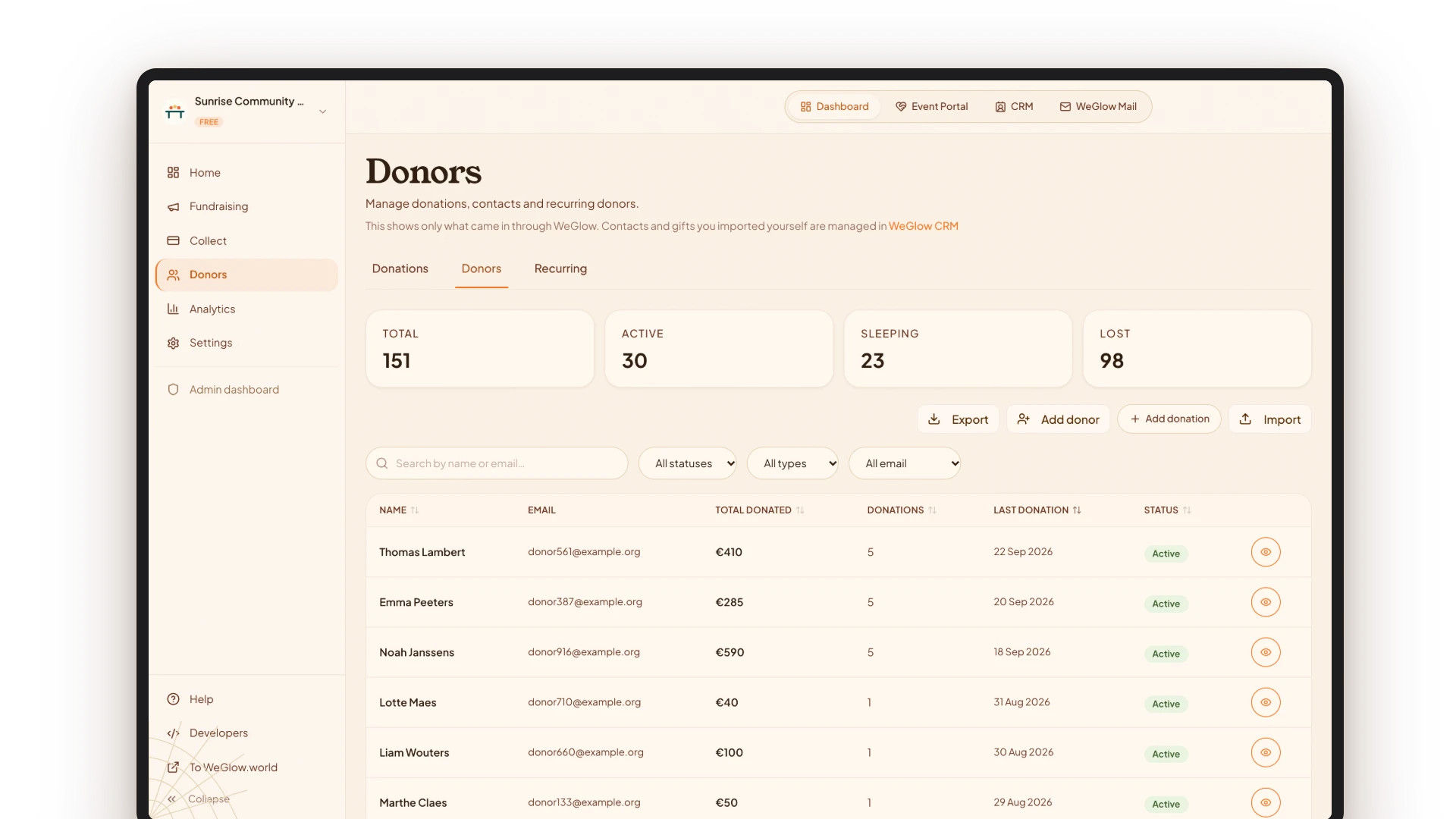
The donor overview shows everyone who gave through WeGlow, with total amount, number of gifts, last gift and status. Every donor automatically gets a status: active if they gave in the past 6 months or have a running recurring gift, sleeping after 6 to 12 months and lost after more than 12 months.
You search by name or email, filter by status, recurring or newsletter, and export the list as CSV. For contacts who did not give through WeGlow, there is the CRM with import and extended export.
Key facts
How statuses, filters, export and import work exactly.
- Status active
- Gave in the past 6 months, or has a running recurring gift
- Status sleeping
- Last gift 6 to 12 months ago
- Status lost
- Last gift more than 12 months ago
- Columns
- Name, email, total given, number of gifts, last gift and status, with a marker for recurring donors
- Filters
- Search by name or email; status; recurring or one-off; newsletter subscribed or unsubscribed
- Export
- CSV with 20 columns; in the CRM also XLSX with your own templates
- Import
- CSV, TXT, TSV, XLSX, XLS or XLSM, several files at once, with 30 days to undo
- Manual gifts
- Cash, bank transfer or another platform; count towards statistics and certificates, not towards platform costs
What do you see in the overview?
At the top are four counters: total, active, sleeping and lost. Below that is the list with name, email, total given, number of gifts, last gift and status. You sort on any column, by default on the last gift. One click opens a donor’s full profile.
How do you add data?
You add a donor manually with at least an email address and the system searches for duplicates automatically. A gift that came in outside WeGlow you register with amount, date and payment method. An import detects columns automatically, recognises duplicates and can be undone for 30 days.
How do you handle personal data?
A donor has the right to access and erasure of their data under the GDPR. The national registry number only appears in a contact export when a manager deliberately ticks that option, and that is logged.
Frequently asked questions
What does the donor status mean?
Active means the donor gave in the past 6 months or has a running recurring gift. Sleeping is 6 to 12 months ago, lost more than 12 months. That way you see immediately where follow-up is needed.
Can I import my existing donor list?
Yes. You import CSV, TXT, TSV, XLSX, XLS or XLSM files, several at once. Columns are recognised automatically, and an import can be undone for 30 days.
Can I export the overview?
Yes. You export the donor list as CSV with 20 columns, including total given, status and first and last gift. In the CRM you also export as XLSX, with columns and templates you choose yourself.
Can I register gifts that did not come in through WeGlow?
Yes. You register a gift with amount, date and payment method (bank transfer, cash or another platform). Such a gift counts towards statistics and certificates, but not towards platform costs.
Are all contacts in the donor overview?
No. The overview shows people who gave through WeGlow. Contacts without a gift, such as imported members or volunteers, are in the CRM, which shows 25 contacts per page.
Sources
Last updated: