Donate button and donation form for your own website
Let visitors donate without leaving your website: inline form or popup.
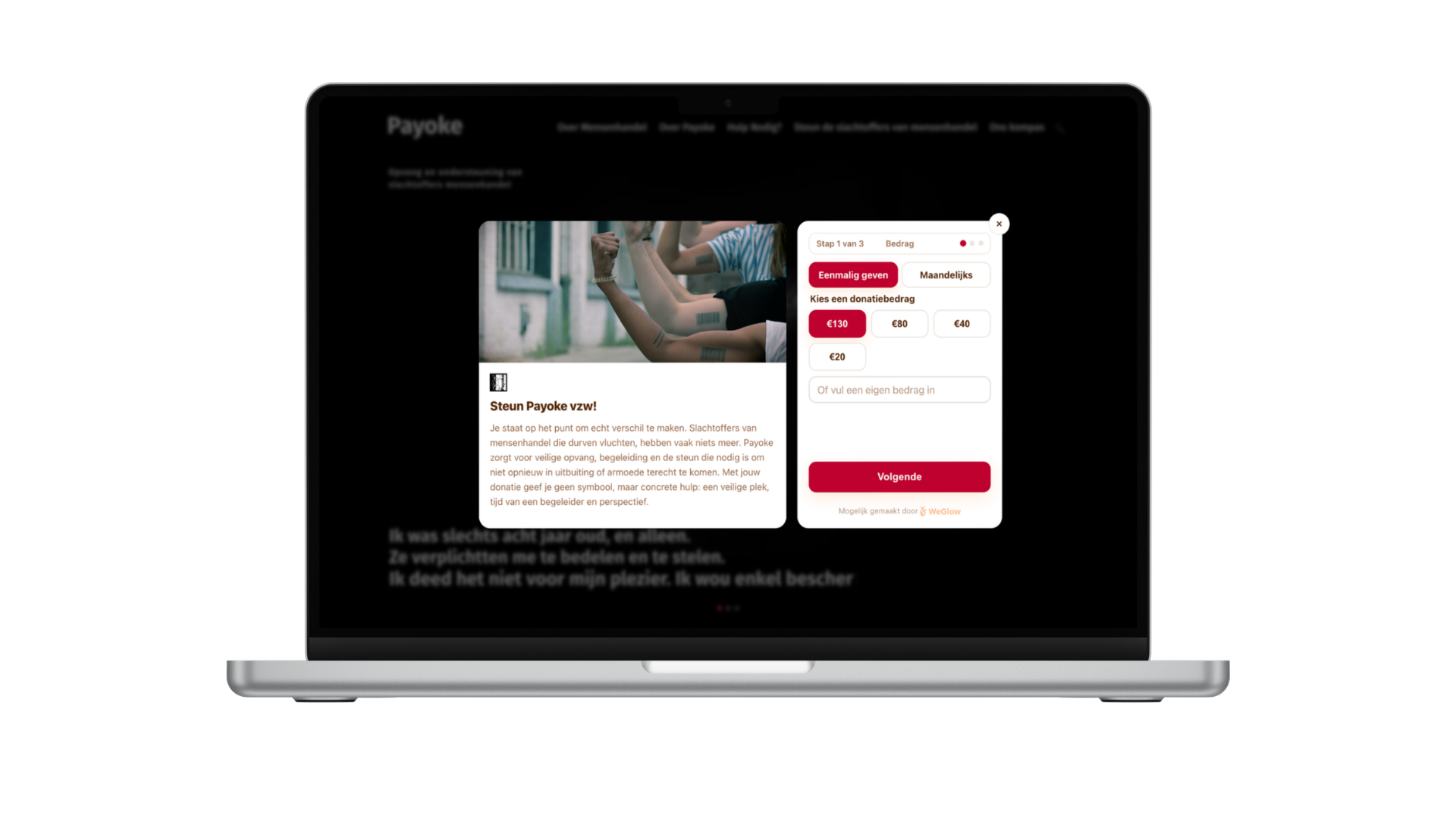
A donation widget is a WeGlow form that you place in your own website with two lines of code. Visitors donate on your site, without clicking through to an external page. You choose between a form that sits fixed on a page and a popup that opens when someone clicks your button.
The widget uses your colours, logo and image. It is available in Dutch, English and French, works in euros and is part of the Pro plan at €40 per month.
Key facts
What you can set in the donation widget and how you embed it.
- Embedding
- A div (or button) with your form id plus one script tag; no plug-in needed
- Display
- Inline on a page, or as a popup that opens after a click on your button
- Formats
- 6 formats: small, medium, large, image, image beside the form and image with text
- Amounts
- Default €100, €50, €25 and €10, adjustable, with a “most popular” amount and an optional free amount
- Languages and currency
- Dutch, English and French; euro only
- Analytics
- Sends a begin_checkout event to your site’s dataLayer for Google Analytics 4
- Price
- Part of the Pro plan, €40 per month
Two ways to embed
An inline form sits fixed on a page of your choice, such as your contact or support page. A popup opens when a visitor clicks your button, without leaving the page. There are no timer, scroll or exit-intent triggers; the visitor decides when to open the form.
How to set it up
In the widget builder you choose style, format, colours, logo and image, set amounts, message, tax certificate, company gift and newsletter field, and write the thank-you email. On the publish screen you copy the embed code and paste it into an HTML block on your website.
Measuring and recovering
When a visitor starts checkout, the widget sends a begin_checkout event to your site’s dataLayer so you can follow it in Google Analytics 4. If someone closes the popup halfway, a reminder offers to continue.
Frequently asked questions
Do I need technical knowledge to install the widget?
No. You copy the embed code from the widget builder and paste it into an HTML block on your website. The builder has short guides for WordPress, Wix and Squarespace.
Does the widget work on every website platform?
On any platform where you can paste a piece of HTML or script, such as WordPress, Wix or Squarespace. For other platforms, first check that they allow scripts in a page.
Can I match the widget to my brand?
Yes. You choose primary colour, background colour, logo and image, and you can write title and text per language. There are 6 formats, from a compact form to an image with text.
Which languages and currencies does the widget support?
The widget is available in Dutch, English and French and works in euros only. The hosted donation page supports more languages and currencies than the widget.
Is the widget free?
The widget is part of the Pro plan at €40 per month, together with upselling to monthly gifts. The hosted donation page on weglow.world is included in the free plan.
Sources
Last updated: